24/7 Support : info@razorse.com | WhatsApp : +91-7011221090

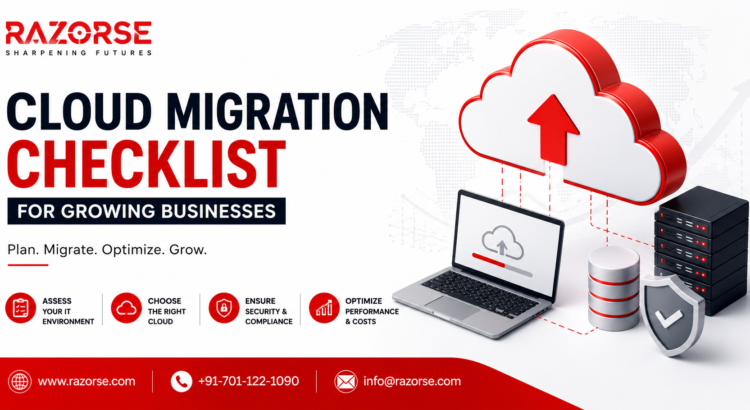
Cloud Migration Checklist for Growing Businesses by Razorse featuring secure cloud migration, cloud infrastructure, business cloud solutions, data migration, and digital transformation services.

Cloud Migration Checklist : A Step-by-Step Guide to a Successful Move

As businesses grow, so do their technology needs. Traditional on-premise infrastructure often struggles to keep up with increasing workloads, rising operational costs, and evolving security demands. That’s why cloud migration has become a strategic investment for organizations looking to improve scalability, performance, and business continuity.

However, moving to the cloud isn’t as simple as transferring files from one server to another. A successful cloud migration strategy requires careful planning, risk assessment, and the right technology partner.

Here’s a practical Cloud Migration Checklist to help your business make a seamless transition.


1. Define Your Business Goals

Before migrating, identify why you’re moving to the cloud.

Are you looking to:

  • Reduce infrastructure costs?
  • Improve application performance?
  • Support remote teams?
  • Enhance data security?
  • Scale your business faster?

Clear objectives will help you choose the right cloud migration services and deployment model for your business.


2. Assess Your Current IT Infrastructure

Evaluate your existing systems before making any changes.

Create an inventory of:

  • Applications
  • Databases
  • Servers
  • Storage
  • Network dependencies
  • Security policies

This assessment helps identify which workloads are cloud-ready and which require modernization before migration.


3. Choose the Right Cloud Model

Not every business has the same requirements.

Select the cloud environment that best fits your operations:

  • Public Cloud – Cost-effective and scalable.
  • Private Cloud – Enhanced security and compliance.
  • Hybrid Cloud – A balance of flexibility and control.
  • Multi-Cloud – Uses multiple providers for resilience and performance.

Choosing the right architecture is one of the most important decisions in your digital transformation journey.


4. Prioritize Security and Compliance

Security should never be an afterthought.

Before migration, ensure:

  • Data encryption is enabled.
  • Access controls are configured.
  • Multi-factor authentication (MFA) is implemented.
  • Backup and disaster recovery plans are in place.
  • Regulatory compliance requirements are met.

A secure cloud environment protects your business while maintaining customer trust.


5. Create a Cloud Migration Strategy

Every application doesn’t need to be migrated the same way.

Consider approaches such as:

  • Rehosting (Lift and Shift)
  • Replatforming
  • Refactoring
  • Rebuilding
  • Replacing

Choosing the right migration strategy minimizes downtime and ensures long-term performance.


6. Test Before You Migrate Everything

Avoid migrating all workloads at once.

Start with:

  • Non-critical applications
  • Pilot projects
  • Development environments

Testing allows you to identify performance issues, compatibility challenges, and security gaps before a full-scale deployment.


7. Train Your Team

Technology alone isn’t enough.

Your employees should understand:

  • New cloud workflows
  • Security best practices
  • Collaboration tools
  • Data management policies

Well-trained teams maximize the value of your cloud investment.


8. Monitor and Optimize Continuously

Cloud migration isn’t the finish line—it’s the beginning.

After deployment:

  • Monitor system performance.
  • Track cloud spending.
  • Optimize resource utilization.
  • Update security configurations regularly.
  • Review workloads as your business grows.

Continuous optimization ensures your cloud infrastructure remains efficient, secure, and cost-effective.


Why Partner with Razorse for Cloud Migration?

A successful cloud migration requires more than technical expertise—it requires a partner who understands your business goals.

At Razorse, we help businesses simplify their cloud journey with end-to-end cloud migration services, cloud consulting, cloud infrastructure management, enterprise application modernization, and digital transformation solutions. From planning and migration to optimization and ongoing support, our experts ensure a secure, scalable, and future-ready cloud environment.

Whether you’re migrating a single application or your entire IT ecosystem, we help you reduce downtime, improve performance, and unlock the full potential of the cloud.

Final Thoughts

Cloud migration is no longer just an IT upgrade, it’s a business growth strategy. Organizations that embrace cloud computing, enterprise cloud solutions, and digital transformation are better positioned to innovate, scale efficiently, and stay competitive in a rapidly evolving market.

By following this cloud migration checklist, your business can reduce migration risks, improve operational efficiency, and build a resilient technology foundation for the future.
How to Optimize CMS Performance for High-Traffic Websites

A website that loads slowly can instantly turn away visitors, hurt conversions, and even impact search rankings. When traffic scales up -whether from marketing campaigns, seasonal spikes, or business growth -even small inefficiencies in your CMS (Content Management System) can lead to sluggish performance. Optimizing your CMS for high-traffic websites ensures stability, speed, and scalability -the three key ingredients of a seamless digital experience.

Here are some practical ways to improve your CMS performance and keep your website running smoothly, even when the traffic shoots up. 

1. Choose the Right Hosting Environment

Your CMS is only as good as the server it runs on. Shared hosting might be affordable but often lacks the resources to handle large traffic surges. Instead, consider:

  • Dedicated or VPS Hosting: Offers isolated resources that guarantee performance.
  • Cloud Hosting (AWS, Azure, GCP): Enables auto-scaling so your site adapts to sudden spikes in visitors.
  • CDN Integration: A Content Delivery Network distributes your content across multiple servers worldwide, reducing latency and improving global load times.

For high-traffic sites, pairing your CMS with a cloud-based, load-balanced hosting infrastructure is the most efficient solution.

2. Enable Caching at Every Level

Caching is the backbone of high-performance CMS systems. It minimizes the need to regenerate content dynamically for every request. There are multiple layers of caching you can implement:

  • Page Caching: Saves entire HTML pages, making them instantly available for repeat visitors.
  • Object Caching: Stores frequently used database queries or code objects in memory.
  • Browser Caching: Allows users’ browsers to store static assets (like CSS, JS, and images), reducing repeat load times.

CMS platforms like WordPress, Drupal, and Joomla offer excellent caching plugins or modules (like WP Super Cache, W3 Total Cache, or Varnish integration) that can be configured easily.

3. Optimize Your Database

As your website scales, the database can become a bottleneck if not maintained properly. Here are some ways to keep it lean and fast:

  • Regular Cleanup: Remove old revisions, spam comments, and unused metadata.
  • Indexing: Ensure frequently queried columns are properly indexed for faster lookup.
  • Use a Separate Database Server: For large-scale sites, isolating the database improves both security and performance.
  • Query Optimization: Analyze slow queries using tools like MySQL’s slow query log and optimize them for efficiency.

Databases that are well-structured and regularly maintained can handle millions of requests without choking under pressure.

4. Compress and Optimize Media Files

Heavy images and videos are among the biggest culprits of slow load times. To fix this:

  • Compress images using tools like TinyPNG or CMS plugins that automate compression.
  • Use next-gen image formats like WebP for superior compression without quality loss.
  • Implement lazy loading so images load only when a user scrolls to them.
  • Host large video files on external platforms (like YouTube or Vimeo) and embed them rather than hosting locally.

Optimized media can dramatically improve load times without compromising the visual appeal of your site.

5. Use a Content Delivery Network (CDN)

A CDN caches your static assets (HTML, CSS, JavaScript, images, etc.) across multiple servers worldwide. When a user visits your website, the content is served from the closest geographical location -cutting down on latency.

Popular CDNs like Cloudflare, Akamai, or Amazon CloudFront also protect against DDoS attacks and provide performance analytics. Integrating a CDN with your CMS ensures your website performs consistently, regardless of where your visitors come from.

6. Minify CSS, JavaScript, and HTML

Every extra space, comment, or line in your code adds to file size. By minifying these files, you reduce load time significantly:

  • Combine multiple CSS and JS files into single bundles.
  • Use CMS plugins (like Autoptimize or Fast Velocity Minify) to automate this process.
  • Defer non-essential JavaScript to prevent it from blocking page rendering.

This simple optimization step can shave precious milliseconds off your page load speed -which can make a big difference for users on slower connections.

7. Implement Load Balancing

High-traffic websites often face uneven distribution of requests. Load balancers help by distributing incoming requests evenly across multiple servers.
This not only ensures that no single server gets overwhelmed but also provides redundancy -if one server fails, another picks up automatically.
Cloud platforms make it easy to implement load balancing with minimal configuration and maximum uptime.

8. Monitor Performance Continuously

Optimizing once isn’t enough. Continuous monitoring helps detect new bottlenecks as your site evolves.
Use tools like:

  • Google PageSpeed Insights for page-level recommendations.
  • GTmetrix or Pingdom for detailed performance reports.
  • New Relic or Datadog for server-level and application performance monitoring.

Tracking these metrics ensures you can address issues proactively before they affect user experience.

9. Update Regularly but Cautiously

CMS updates often include performance and security improvements, so keeping your system and plugins up to date is vital. However, major updates can occasionally cause compatibility issues.
Always test updates in a staging environment before applying them to the live site. This balance between innovation and stability is crucial for high-traffic sites.

10. Optimize Your CMS Theme and Plugins

Not all themes and plugins are built with performance in mind. A bloated theme or outdated plugin can slow down the entire site.

  • Use lightweight themes that focus on speed and efficiency.
  • Deactivate and delete any plugins not in use.
  • Choose plugins from trusted developers that are updated regularly.

Every plugin you add introduces code that affects loading time -so quality always beats quantity.

Conclusion

A high-performing CMS isn’t built overnight. It’s the result of ongoing optimization, testing, and tuning. By combining the right hosting environment, caching, CDN, optimized media, and smart coding practices, your website can deliver a seamless experience even during massive traffic surges.

At Razorse Software, we specialize in developing high-performance, scalable, and SEO-optimized CMS solutions that help brands handle traffic spikes effortlessly. Whether you’re running a corporate portal or a large e-commerce platform, our team ensures your digital experience stays fast, reliable, and secure -every time.

#RazorseSoftware #CMSOptimization #WebsitePerformance #WebDevelopment #DigitalTransformation

Headless CMS: Why Businesses Are Moving Towards API-Driven Websites

In the rapidly evolving digital landscape, businesses are constantly seeking innovative ways to deliver seamless, personalized, and highly responsive web experiences. One of the most significant trends in recent years has been the shift from traditional Content Management Systems (CMS) to headless CMS platforms. This API-driven approach is reshaping how organizations manage content, develop websites, and engage with their audiences.

What is a Headless CMS?

A traditional CMS, such as WordPress or Joomla, combines the content repository with the presentation layer—the “head”—that determines how content is displayed on websites. While this monolithic structure simplifies content management, it often limits flexibility, scalability, and adaptability across multiple digital channels.

In contrast, a headless CMS decouples the content management from the presentation layer. Content is stored centrally and delivered via APIs to any frontend, whether it’s a website, mobile app, digital kiosk, or even smart devices. This separation allows developers to choose any technology stack for the frontend, while content creators can manage content independently without worrying about design constraints.

Advantages of Headless CMS

  1. Flexibility in Design and Development
    With a headless CMS, developers are not tied to a specific frontend technology. They can use frameworks like React, Angular, or Vue.js to build dynamic and interactive user interfaces. This flexibility allows businesses to innovate rapidly, create unique digital experiences, and optimize performance across devices.
  2. Omnichannel Content Delivery
    Modern businesses interact with customers across multiple platforms—websites, mobile apps, social media, IoT devices, and more. A headless CMS enables omnichannel content delivery, ensuring that content is consistent, up-to-date, and tailored to each platform. By leveraging APIs, businesses can publish once and distribute everywhere, saving time and reducing errors.
  3. Improved Website Performance
    Traditional CMS platforms often come with heavy themes and plugins that can slow down websites. A headless approach eliminates unnecessary bloat by serving only the content needed through APIs. This not only improves website speed but also enhances search engine rankings and user experience.
  4. Enhanced Security
    Decoupling the frontend from the backend reduces vulnerabilities. Since the CMS is not directly exposed to the public-facing website, the attack surface is smaller, making it harder for hackers to exploit. This architecture also allows for stricter access controls and robust security practices.
  5. Scalability for Growing Businesses
    As businesses expand, their content needs and traffic volumes grow. A headless CMS supports scalability by allowing developers to integrate with microservices, cloud infrastructure, and CDNs (Content Delivery Networks). This ensures that websites remain responsive, even during high traffic surges, without major overhauls.
  6. Faster Time-to-Market
    Traditional CMS often requires simultaneous backend and frontend updates, slowing down content publication. Headless CMS allows teams to work in parallel: content creators can update or add content while developers build or modify frontend features. This parallel workflow accelerates the time-to-market for campaigns, product launches, and updates.

Popular Use Cases for Headless CMS

  • E-commerce Platforms: Deliver product content seamlessly across websites, apps, and marketplaces.
  • Media and Publishing: Manage large volumes of content for multiple channels while maintaining brand consistency.
  • Corporate Websites: Ensure consistent corporate messaging across all digital touchpoints.
  • IoT and Smart Devices: Push content to screens, wearables, and connected devices without custom backend setups.

Challenges to Consider

While headless CMS offers many benefits, it is not without challenges. Implementing a headless system requires technical expertise for API integration and frontend development. Businesses must also invest in a robust strategy for content modeling and delivery. However, for organizations aiming for scalability, omnichannel presence, and cutting-edge user experiences, these challenges are often outweighed by the long-term benefits.

Why Businesses Are Embracing the Shift

The digital marketplace is increasingly competitive. Consumers expect fast, personalized, and consistent experiences across all channels. A headless CMS empowers businesses to meet these expectations while staying agile. Companies can adopt new technologies, launch campaigns quickly, and maintain control over content without being constrained by a rigid CMS architecture.

Moreover, as more organizations adopt cloud infrastructure and microservices, the headless approach aligns perfectly with modern digital strategies. It allows seamless integration with third-party services, analytics tools, marketing platforms, and AI-driven personalization engines—unlocking new opportunities for growth and engagement.

Conclusion

The shift towards API-driven websites and headless CMS represents a fundamental evolution in how businesses manage and deliver digital content. By decoupling content from presentation, organizations gain flexibility, scalability, performance, and security—all while providing a superior experience to end-users.

At Razorse Software, we specialize in helping businesses leverage modern CMS solutions to create highly responsive, scalable, and future-proof digital experiences. Whether you are looking to revamp your website, launch a new app, or adopt a headless architecture, we provide end-to-end solutions that align with your business goals.

#HeadlessCMS #APIDrivenWebsites #DigitalTransformation #WebDevelopment #RazorseSoftware #TechInnovation #OmnichannelExperience #FutureOfWeb

Securing Your PHP Application: Common Vulnerabilities & Fixes

PHP remains one of the most popular server-side scripting languages, powering millions of websites and web applications globally. Its ease of use and flexibility have contributed to its widespread adoption. However, this popularity has also made PHP applications a frequent target for cyberattacks. From small businesses to enterprise-level platforms, vulnerabilities in PHP code can result in data breaches, loss of customer trust, and even legal consequences. As a result, securing PHP applications should be a top priority for developers and organizations alike.

One of the most common vulnerabilities affecting PHP applications is SQL Injection. This occurs when user input is directly passed into SQL queries without adequate sanitization, allowing attackers to manipulate database commands. For example, an attacker could bypass login pages or extract sensitive data simply by injecting malicious SQL statements. To prevent this, developers must use prepared statements and parameterized queries provided by PDO or MySQLi, which ensure user inputs are handled safely and separated from the query logic.

Another prevalent issue is Cross-Site Scripting (XSS), which allows attackers to inject malicious JavaScript code into web pages viewed by other users. This can lead to stolen cookies, session hijacking, or unwanted actions performed on behalf of the victim. Protecting against XSS involves sanitizing all user input before displaying it on a webpage. Functions like htmlspecialchars() can encode characters to neutralize harmful scripts. Additionally, implementing a Content Security Policy (CSP) adds an extra layer of defence by restricting the execution of unauthorized scripts.

Cross-Site Request Forgery (CSRF) is a silent but dangerous attack that tricks authenticated users into performing actions they did not intend, such as changing account settings or initiating transactions. This typically occurs when forms or links are exploited without verifying the origin of the request. The fix involves implementing CSRF tokens—unique, unpredictable values stored in the user’s session and verified on every request. Only legitimate interactions from your website will carry the correct token, making unauthorized requests invalid.

Remote Code Execution (RCE) is another critical vulnerability, often stemming from insecure use of functions like eval(), exec(), or include() with unsanitized input. Attackers can execute arbitrary code on your server if these functions are not used cautiously. Developers should avoid these functions altogether or use strict input validation and whitelisting when dynamic functionality is required. Never include files based directly on user input without thorough checks.

File upload features can be incredibly useful but also dangerous if not implemented securely. If users can upload files without proper validation, an attacker might upload a malicious PHP script disguised as an image or document. This could allow them to gain control of the server or steal sensitive data. To mitigate this risk, always validate file types and extensions, store files outside the web root, rename them to remove user-defined names, and restrict access through .htaccess or other server-side rules.

Session hijacking is another method used by attackers to impersonate valid users by stealing or guessing session identifiers. This can occur through network sniffing, XSS, or session fixation. To reduce the risk, always enforce HTTPS to encrypt data in transit, regenerate session IDs upon login or privilege changes using session_regenerate_id(), and configure session cookies with HTTP Only, Secure, and SameSite flags. These simple tweaks can dramatically enhance session security.

Exposing detailed error messages can be a goldmine for attackers looking to understand your application’s structure. Error messages that reveal file paths, database schema, or server configuration can be used to craft targeted attacks. In a production environment, it’s essential to turn off error displays and log them privately for developer access. The end users should see generic messages that don’t reveal any internal workings.

Beyond code-level vulnerabilities, misconfigurations at the server or PHP level can also pose significant security risks. For example, directives like allow_url_include or display_errors should be disabled in the production environment to reduce exposure. PHP configuration should be regularly reviewed, and default settings should be hardened based on your application needs. Additionally, ensuring that your PHP version and third-party packages are up to date helps patch known vulnerabilities before they can be exploited.

Security headers offer an additional layer of protection and are easy to implement. Headers like X-Frame-Options, Strict-Transport-Security, and Content-Security-Policy help prevent clickjacking, force HTTPS usage, and restrict script execution. These can be set in your .htaccess file or directly in your PHP code using the header() function. While not a silver bullet, security headers complement your core application defences.

At the end of the day, securing a PHP application isn’t a one-time task. It requires continuous vigilance, regular code reviews, penetration testing, and an ongoing commitment to best practices. As cyber threats grow in sophistication, your defence mechanisms must evolve too. By being proactive and incorporating secure coding practices from the start, you can significantly reduce your application’s attack surface.

At Razorse Software, we prioritize security in every line of code. Our team stays updated with the latest security standards to ensure that your PHP applications are robust, scalable, and resilient against modern threats. If you’re developing or maintaining a PHP project and want to ensure its protected, our experts are here to help.

#PHPDevelopment #Cybersecurity #SecureCoding #WebApplicationSecurity #PHPVulnerabilities #WebDevTips #SecurePHP #RazorseSoftware #TechSolutions #PHPFixes #WebSecurityBestPractices

Creating a Learning Dojo: A Smart Move for Team Development

In today’s fast-paced digital landscape, the only constant is change. For companies striving to stay competitive and innovative, continuous learning is no longer a luxury – it’s a necessity. One of the most effective ways to nurture a culture of growth and upskilling within teams is by establishing a Learning Dojo. Inspired by the traditional Japanese concept of a “dojo – a space for immersive learning and disciplined practice – a Learning Dojo is a structured yet flexible environment designed to enhance skill development, collaboration, and innovation.

What is a Learning Dojo?

A Learning Dojo is not just a training room or an occasional workshop. It’s a dedicated ecosystem where team members can explore new technologies, solve real-world problems, share knowledge, and practice critical thinking in a risk-free, collaborative space. Unlike traditional training sessions, which often feel like a one-off chore, a dojo encourages continuous engagement and experimentation.

Learning Dojos can be customized to focus on various disciplines such as coding, design thinking, cybersecurity, DevOps, AI/ML, or product management. The objective is to cultivate a hands-on learning culture where employees not only gain technical proficiency but also improve soft skills like communication, teamwork, and adaptability.

Why Teams Need a Learning Dojo

  1. Bridges the Skills Gap: With the rapid evolution of technology, it’s common for teams to fall behind in adopting the latest tools and practices. A Learning Dojo serves as a bridge between current capabilities and desired skill sets.
  2. Promotes Cross-Functional Learning: In most organizations, knowledge tends to be siloed. A Learning Dojo encourages cross-pollination of ideas between departments, allowing, for instance, developers to understand UI/UX principles or marketers to grasp data analytics.
  3. Improves Team Collaboration: Learning Dojos provide a neutral ground for team members to work together on challenges outside of daily project constraints. This boosts trust, understanding, and collaboration within the team.
  4. Enhances Problem-Solving Abilities: Rather than sticking to textbooks or theory, a dojo challenges participants to apply their knowledge in real or simulated scenarios, sharpening their analytical and decision-making skills.
  5. Drives Innovation: When people are given the freedom and tools to experiment, they often come up with fresh ideas that can be transformed into innovative products or solutions.

Setting Up a Learning Dojo: Key Steps

1. Define Clear Objectives

Before setting up a dojo, identify what you aim to achieve. Is it to improve code quality? Foster leadership skills? Introduce cloud technologies? A clear vision will help in creating a focused curriculum and structure.

2. Choose the Right Format

Dojo formats can vary—some are short-term (like weekly sessions), while others are ongoing environments open to any employee. You can organize coding katas, design sprints, hackathons, mentorship circles, or knowledge-sharing seminars depending on your goals.

3. Create a Safe Environment

A key principle of a dojo is psychological safety. Participants should feel free to ask questions, make mistakes, and try unconventional approaches without fear of judgment. This openness leads to deeper learning and stronger bonds.

4. Involve Coaches and Mentors

Experienced team members or external experts can act as facilitators, guiding the dojo sessions and offering feedback. Their role is not to teach in a top-down manner but to inspire, coach, and support learners on their journey.

5. Integrate Real-World Projects

Instead of abstract exercises, incorporate real business problems or user stories that need solving. This not only makes learning relevant but also contributes directly to your organization’s goals.

6. Measure Impact and Iterate

Track metrics like employee satisfaction, knowledge retention, project outcomes, or reduced error rates post-dojo implementation. Use this data to refine the process, topics, and methods to make the dojo more effective.

Real-World Applications of Learning Dojos

Leading tech firms like Google, Spotify, and IBM have already adopted versions of Learning Dojos to enhance team agility and innovation. At Google, “Engineering Practicum” and “Code Labs” mirror dojo principles, fostering mentorship and hands-on experience. Similarly, at Spotify, teams engage in “Hack Weeks” where learning and experimentation are encouraged in a dojo-like environment.

Even smaller organizations and startups are embracing the dojo model to upskill employees quickly and cost-effectively, often replacing traditional classroom training with interactive, peer-led sessions.

The Psychological Edge

Beyond skill development, Learning Dojos fulfil an important psychological need – the desire for mastery. When employees feel that their organization invests in their growth, it boosts morale, loyalty, and motivation. In an era of high attrition and burnout, this cultural shift toward continuous learning could be your secret weapon in retaining top talent.

Final Thoughts

Creating a Learning Dojo isn’t just about providing training – it’s about fostering a mindset of curiosity, collaboration, and continuous improvement. As teams become more diverse and distributed, having a central hub where learning is encouraged and celebrated can drive long-term success across all verticals.

At Razorse Software, we recognize that innovation stems from knowledge and practice. That’s why we actively promote a learning culture through internal workshops, real-world projects, and collaborative problem-solving spaces. A Learning Dojo isn’t just a smart move – it’s a strategic investment in the future of your team.

#LearningDojo #TeamDevelopment #ContinuousLearning #RazorseSoftware #WorkplaceInnovation #Upskilling #SmartTeams #AgileLearning #FutureOfWork #EmployeeGrowth

Why a Mobile E-Commerce App is Essential for Your Business

In today’s fast-paced digital world, consumers are more inclined to shop online than ever before. The convenience of browsing, selecting, and purchasing products from the palm of their hands has transformed the way businesses operate. While having a responsive website is crucial, a dedicated mobile e-commerce app takes customer experience to the next level. It offers speed, accessibility, and personalization that a website alone cannot achieve. If you want to stay competitive and maximize your business potential, investing in a mobile e-commerce app is no longer optional—it’s essential.

One of the biggest advantages of a mobile app is the seamless user experience it provides. Unlike mobile websites, which often depend on browser performance and internet speed, apps are built for smooth navigation and faster load times. Customers can quickly browse through products, save items in their cart, and complete purchases without facing lag or disruptions. Moreover, apps can function offline to some extent, allowing users to access certain features without an active internet connection. This level of convenience enhances customer satisfaction, leading to increased sales and brand loyalty.

Another key benefit of a mobile e-commerce app is its ability to offer personalized shopping experiences. With access to user data such as browsing history, preferences, and purchase behavior, businesses can curate product recommendations tailored to individual customers. Push notifications play a vital role in keeping users engaged by sending alerts about discounts, new arrivals, and special promotions. This direct line of communication helps businesses stay connected with their customers, increasing the likelihood of repeat purchases. Unlike emails or social media ads, which can be easily ignored, app notifications create a more immediate and engaging interaction with the audience. Security and trust are also major factors influencing online shopping behavior. A well-developed e-commerce app with secure payment gateways reassures customers that their transactions are safe. Features like biometric authentication (fingerprint or face recognition) further enhance security, making the checkout process faster and more reliable. Many consumers are wary of entering card details repeatedly on websites, but an app allows for securely stored payment methods, reducing friction during transactions. This convenience encourages customers to complete purchases without hesitation.

A mobile app also provides businesses with a competitive edge by fostering brand visibility and loyalty. Once installed, the app icon remains on the user’s device, serving as a constant reminder of the brand. This presence increases the chances of repeat visits and purchases. Additionally, loyalty programs integrated within the app—such as reward points, exclusive member discounts, or early access to sales—help retain customers and encourage them to shop more frequently. Unlike a website, which requires customers to open a browser and search for your store, an app is just one tap away, making the shopping journey effortless. For businesses looking to scale, a mobile e-commerce app offers valuable insights into customer behavior and preferences. Advanced analytics tools can track user engagement, purchase patterns, and popular products, helping businesses make data-driven decisions. Understanding what works and what doesn’t allows companies to optimize their marketing strategies and improve their product offerings. The ability to adapt quickly to customer demands ensures long-term success in an increasingly competitive market.

Additionally, mobile apps provide an opportunity for businesses to integrate emerging technologies such as augmented reality (AR) and artificial intelligence (AI) to enhance the shopping experience. AR allows customers to visualize products before purchasing, such as trying on clothes or placing furniture in their homes virtually. AI-powered chatbots improve customer service by offering instant responses and personalized assistance. Such innovations set brands apart and create a more immersive and interactive shopping experience.

Incorporating a mobile e-commerce app into your business strategy is not just about keeping up with trends—it’s about creating a superior shopping experience that meets modern consumer expectations. With the right features, such as seamless navigation, personalized recommendations, secure payments, and loyalty programs, an app can drive sales and enhance customer satisfaction. In an era where convenience and speed define purchasing decisions, businesses that prioritize mobile apps are the ones that will thrive.

Take Your Business to the Next Level with Razorse Software
At Razorse Software, we specialize in developing high-performance mobile e-commerce apps that transform businesses. Whether you’re a startup or an established brand, our team ensures a seamless, secure, and engaging shopping experience for your customers. Let’s build the perfect app for your business – #EcommerceSolutions #MobileAppDevelopment #RazorseSoftware #DigitalGrowth #FutureOfShopping.