24/7 Support : info@razorse.com | WhatsApp : +91-7011221090

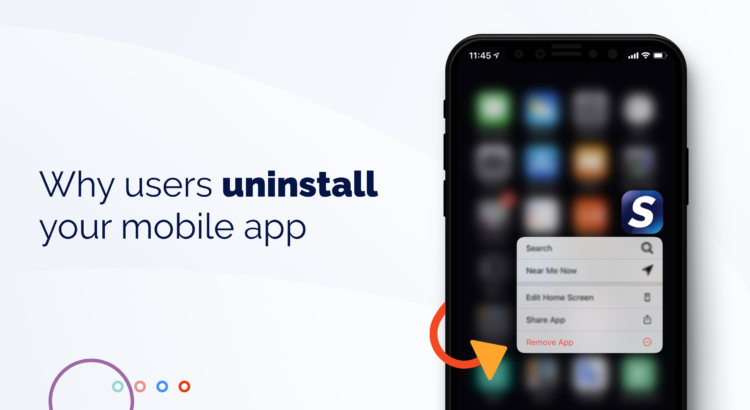
Why Users Are Uninstalling Your App!

In the competitive world of mobile app development, it’s not just about acquiring users; it’s also about retaining them. User retention is a critical metric for app success, and understanding why users uninstall your app can help you make the necessary improvements to keep them engaged. Here are some common reasons why users uninstall apps:

  1. Poor Performance: One of the top reasons for app uninstalls is poor performance. Slow loading times, frequent crashes, and unresponsive user interfaces can frustrate users and drive them to seek alternatives.
  2. Excessive Ads: While ads are a common revenue source for free apps, an excessive number of ads can annoy users. Intrusive pop-up ads or videos that interrupt the user experience are a surefire way to lose users.
  3. Intrusive Permissions: Apps that request excessive permissions can raise concerns about privacy and security. Users may uninstall an app if they feel it’s asking for more access to their data than necessary.
  4. Large App Size: Users often have limited storage space on their devices. If your app takes up too much space, users may remove it to free up storage for other apps and media.
  5. Lack of Updates: Apps that are not regularly updated may become outdated, incompatible with the latest operating systems, or vulnerable to security risks. Users are more likely to uninstall apps that appear abandoned by their developers.
  6. Complex Onboarding: A complicated or lengthy onboarding process can discourage new users. If they find it too hard to get started, they may uninstall your app before experiencing its full value.
  7. Inadequate User Support: Users appreciate responsive customer support. If they encounter issues and don’t receive timely assistance or if they can’t find a way to contact support, they might choose to uninstall.
  8. High Battery and Data Usage: Apps that consume excessive battery life or mobile data can be a burden. Users who notice their battery draining quickly or data being used up by an app are likely to uninstall it.

To prevent app uninstalls and improve user retention, consider the following strategies :

  • Regularly Update Your App: Stay up to date with operating system changes and user feedback. Regular updates can fix bugs, add new features, and enhance overall performance.
  • Optimize App Performance: Ensure your app is fast, reliable, and responsive. Extensive testing and monitoring can help identify and fix performance issues.
  • Request Permissions Thoughtfully: Only request permissions that are essential for your app’s functionality. Explain to users why each permission is needed.
  • Reduce Ads and Improve Ad Placement: If your app relies on advertising, consider reducing the number of ads or offering a premium, ad-free version.
  • Provide Excellent Customer Support: Offer users a straightforward way to get in touch with your support team and address their issues promptly and effectively.
  • Monitor and Manage Battery and Data Usage: Optimize your app to consume fewer resources, both in terms of battery and data usage.

By addressing these issues and continually improving your app, you can reduce the number of uninstalls and create a more loyal user base. User feedback and data analytics are valuable tools in this ongoing process.

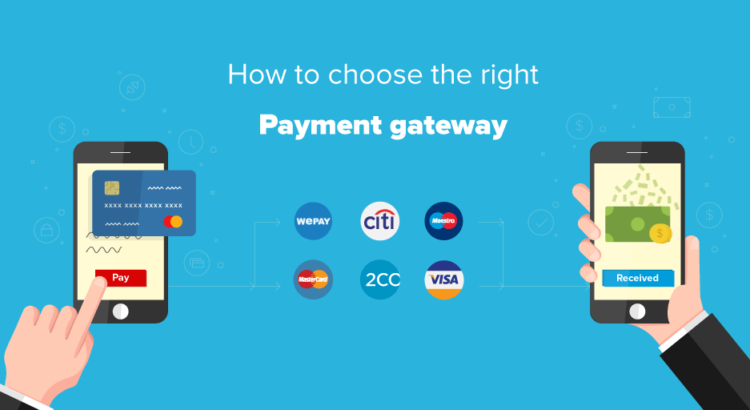
How to find the Right Payment Gateways

Payment gateways are a critical component of any online business. They facilitate the secure transfer of funds between customers and businesses, making e-commerce transactions possible. With the rapid growth of online retail, selecting the right payment gateway has become a pivotal decision for businesses. Here’s a guide on how to find the right payment gateway for your needs.

Payment gateways are like digital cashiers for your online store. They securely process payments, including credit cards, digital wallets, and even cryptocurrency. They play a vital role in providing a smooth and secure shopping experience for your customers.

Factors to Consider:

  1. Security: Security should be a top priority. Ensure the payment gateway is PCI DSS compliant, which means it meets the security standards set by the Payment Card Industry Data Security Standard.
  2. Supported Payment Methods: Different customers prefer different payment methods. Make sure the gateway supports credit cards, digital wallets (like PayPal or Apple Pay), and any other payment methods your customers commonly use.
  3. Fees: Payment gateways charge fees for their services. These can include setup fees, transaction fees, and monthly fees. Compare fee structures to find one that aligns with your business size and expected transaction volume.
  4. Geographic Reach: If you plan to expand your business internationally, ensure the payment gateway supports transactions in the regions you target.
  5. Integration: The gateway should seamlessly integrate with your e-commerce platform. Compatibility with popular platforms like Shopify, Woo Commerce, or Magento can save you development time and costs.
  6. User Experience: The payment process should be smooth and user-friendly. Complicated checkouts can lead to cart abandonment.
  7. Customer Support: Access to responsive customer support is essential. You’ll want assistance if issues arise during transactions.

Testing and Implementation:

Before making a final decision, test the payment gateway. Most providers offer a sandbox environment where you can simulate transactions. This helps ensure everything runs smoothly and that your integration works seamlessly with your website.

Regulatory Compliance:

Ensure the payment gateway complies with your country’s financial and tax regulations. Different regions have varying requirements for financial transactions, and you must adhere to these to avoid legal issues.

Scaling Up:

Your business might grow, and so will your transaction volume. Ensure the payment gateway can scale with your business. Find out if they offer higher-tier plans or custom solutions for larger enterprises.

Conclusion:

Selecting the right payment gateway is pivotal for the success of your online business. It impacts not only your revenue but also your customers’ experience. By carefully considering factors like security, fees, and user experience, and by testing and ensuring regulatory compliance, you can find the payment gateway that best suits your business needs. So, choose wisely, and empower your online store for success.

Testing Mobile Apps: Best Practices

Mobile applications have become an integral part of our daily lives, serving various purposes from communication to productivity. To ensure a seamless user experience and the success of a mobile app, rigorous testing is essential. Following are the best practices for testing mobile apps.

  1. Early Testing: Begin testing early in the development process, ideally during the design and development phases. This helps identify and rectify issues at a stage when they’re easier and cheaper to fix.
  2. Choose the Right Tools: Select appropriate testing tools and frameworks that suit your project’s needs. Popular choices include Appium, Calabash, and Selenium for automated testing.
  3. Real Device Testing: Test on real devices, not just simulators or emulators. Each device may have unique characteristics, and testing on actual hardware ensures compatibility.
  4. Cross-Platform Testing: For apps targeting multiple platforms (iOS, Android), conduct cross-platform testing to verify consistent functionality and appearance across different operating systems.
  5. Usability Testing: Evaluate the app’s user-friendliness. Gather feedback from actual users and consider factors like navigation, intuitiveness, and overall user experience.
  6. Performance Testing: Check for performance bottlenecks, including load times, responsiveness, and the app’s ability to handle various device configurations.
  7. Security Testing: Mobile apps often deal with sensitive data. Ensure proper security testing, including encryption, data protection, and guarding against common vulnerabilities.
  8. Network Conditions: Assess how the app performs under various network conditions, from 3G to Wi-Fi, to guarantee consistent functionality regardless of the user’s network.
  9. Battery and Resource Usage: Monitor the app’s impact on the device’s battery and system resources. Excessive battery drain or resource hogging can deter users.
  10. Compatibility Testing: Check compatibility with different screen sizes, resolutions, and orientations to ensure a consistent appearance on various devices.
  11. Update Compatibility: Test the app’s compatibility with different versions of the operating system. Ensure it works seamlessly after OS updates.
  12. User Feedback Integration: Implement a feedback mechanism within the app to collect user opinions, issues, and suggestions. This can provide valuable insights for improvement.
  13. Beta Testing: Before the official release, conduct beta testing with a selected group of users. This helps in identifying and addressing issues that might have been missed.
  14. User Acceptance Testing: Involve stakeholders or actual users in the final stages of testing to ensure the app meets their expectations.
  15. Post-Launch Monitoring: Once the app is live, continue monitoring its performance, collecting user feedback, and addressing any emerging issues promptly.

In conclusion, thorough testing is crucial for the success of mobile apps. Following these best practices ensures that your app is functional, secure, and provides an excellent user experience. It’s an ongoing process that should continue even after the app’s release to guarantee its continued success in the ever-evolving mobile landscape.

Choosing the Right Development Framework For Cross-Platform Apps

In the fast-paced world of mobile app development, delivering a seamless user experience across multiple platforms is paramount. While native app development offers top-notch performance, it often requires separate codebases for iOS and Android, leading to increased development time and costs. This is where cross-platform app development frameworks come to the rescue. But with so many options available, how do you choose the right one for your project?

Understanding Cross-Platform Development

Cross-platform app development allows developers to write code once and deploy it on multiple platforms. This approach streamlines development, reduces costs, and accelerates time-to-market. However, not all cross-platform frameworks are created equal. Here are some key factors to consider when choosing the right one for your project:

1. Native-like Performance – Performance is critical for app success. Users expect fast, responsive experiences. Look for frameworks that offer near-native performance. Leading options like React Native, Flutter, and Xamarin excel in this regard, thanks to their compilation to native code.

2. UI/UX Consistency – Consistency in the user interface and user experience across platforms is essential. Choose a framework that provides native-like UI components and supports platform-specific design guidelines. Flutter, for instance, offers a rich set of customizable widgets for this purpose.

3. Community and Ecosystem – A thriving developer community and a robust ecosystem can be invaluable. These communities offer support, resources, and third-party libraries to extend functionality. React Native boasts a large community, while Flutter is gaining traction rapidly.

4. Development Speed – Time-to-market is often a critical factor. Frameworks that allow for rapid development through features like hot reloading can be a game-changer. React Native, Flutter, and Xamarin all offer this advantage.

5. Integration Capabilities – Consider how well the framework integrates with existing systems, APIs, and third-party services. Xamarin, for example, is known for its excellent integration with Microsoft technologies.

6. Maintenance and Updates – Mobile operating systems evolve, and your app must keep up. Ensure your chosen framework is well-maintained and receives regular updates to address compatibility and security issues.

7. Testing and Debugging – Efficient testing and debugging tools are crucial for identifying and resolving issues. Evaluate the testing capabilities and debugging support offered by the framework.

8. Scalability – Consider your app’s long-term scalability requirements. Some frameworks are better suited for small to medium-sized projects, while others can handle large, complex applications.

9. Cost Considerations – While cross-platform development can save costs, it’s essential to factor in licensing fees, developer expertise, and potential third-party tool expenses when choosing a framework.

10. User Base and Case Studies – Examine the user base and successful case studies of apps built with the framework. Real-world examples can provide insights into the framework’s capabilities and limitations.

In conclusion, choosing the right cross-platform development framework is a crucial decision that can impact your app’s success. Consider your project’s specific requirements, including performance, user interface, community support, and integration needs, before making your choice. Ultimately, the ideal framework should align with your goals and enable you to deliver a high-quality, cross-platform app that delights users across iOS and Android devices.

Google Cloud vs AWS

The realm of cloud computing is dominated by two major players: Google Cloud and Amazon Web Services (AWS). Both offer a wide array of cloud services, catering to businesses of all sizes. The differences between Google Cloud and AWS will help you make an informed choice for your cloud computing needs.

1. Global Reach:

  • Google Cloud: Google boasts an extensive global network with data centers in over 20 regions. It’s particularly strong in Asia and Europe, making it an attractive option for businesses with an international presence.
  • AWS: AWS has an even broader global presence, with data centers in more than 25 regions worldwide. This widespread reach ensures low-latency access for users across the globe.

2. Pricing:

  • Google Cloud: Known for its competitive pricing, Google Cloud often provides cost savings for compute-intensive workloads. They offer sustained use discounts and committed use contracts, reducing costs for long-term commitments.
  • AWS: AWS provides a flexible pricing model, allowing you to pay only for the services you use. However, its pricing can be complex to navigate, and it may be costlier for certain use cases.

3. Services and Ecosystem:

  • Google Cloud: Google’s strength lies in data analytics and machine learning services. It’s known for BigQuery, Dataflow, and TensorFlow. It also integrates seamlessly with Google Workspace (formerly G Suite).
  • AWS: AWS offers a broader range of services, making it a go-to choice for various workloads, from computing and storage to AI and IoT. AWS Lambda, EC2, and S3 are some of its flagship services.

4. Machine Learning and AI:

  • Google Cloud: Google has a strong focus on machine learning and AI, with services like AI Platform and AutoML. Its expertise in natural language processing and image recognition sets it apart.
  • AWS: AWS has a robust machine learning ecosystem with services like SageMaker and Rekognition. It also offers deep learning instances with GPU support.

5. Kubernetes and Containers:

  • Google Cloud: Google developed Kubernetes, and its Kubernetes Engine (GKE) is known for its ease of use and seamless integration with Google Cloud services.
  • AWS: AWS offers Amazon Elastic Kubernetes Service (EKS), which is compatible with Kubernetes. It’s a solid choice for those already invested in the AWS ecosystem.

6. Support and Documentation:

  • Google Cloud: Google’s support is known for its responsiveness and technical depth. Their documentation is comprehensive and beginner-friendly.
  • AWS: AWS offers a variety of support plans, but some users find their support response times to be slower. However, their documentation is extensive and well-organized.

7. Market Share:

  • Google Cloud: While growing rapidly, Google Cloud holds a smaller market share compared to AWS and Azure.
  • AWS: AWS is the undisputed market leader, holding a significant portion of the cloud market share.

In conclusion, both Google Cloud and AWS are powerful cloud providers, each with its unique strengths. Your choice should align with your specific business needs, existing technology stack, and budget considerations. Many organizations opt for a multi-cloud strategy to leverage the strengths of both providers, ensuring flexibility and redundancy. Ultimately, the decision hinges on your specific use cases and long-term cloud strategy.

Difference Between UX and UI Design

In the realm of digital product development, two terms frequently surface: UX (User Experience) design and UI (User Interface) design. While they are closely related and often used interchangeably, they represent distinct facets of the design process. Following are the key differences between UX and UI design.

1. Purpose and Focus:

  • User Experience (UX) Design: UX design is all about enhancing the overall experience a user has with a product. It focuses on usability, accessibility, and the user’s emotional journey. UX designers are concerned with how a user interacts with a product, from the moment they encounter it to the final interaction.
  • User Interface (UI) Design: UI design, on the other hand, centers on the product’s look and feel. It’s about crafting the visual elements that users interact with directly—buttons, icons, layouts, color schemes, and typography. UI designers aim to create a visually appealing and intuitive interface.

2. Scope of Work:

  • User Experience (UX) Design: UX designers conduct extensive research to understand user behavior, needs, and pain points. They create wireframes, prototypes, and user flows to optimize the product’s structure and functionality. Their role extends beyond aesthetics to ensure a seamless and enjoyable user journey.
  • User Interface (UI) Design: UI designers focus on the aesthetics and visual elements. They craft pixel-perfect designs and collaborate closely with UX designers to implement their vision. UI designers are responsible for creating a consistent and visually engaging interface.

3. Tools and Deliverables:

  • User Experience (UX) Design: UX designers use tools like wireframing and prototyping software (e.g., Sketch, Figma, Adobe XD) to create interactive models of the product. They produce deliverables such as user personas, user journeys, and usability reports.
  • User Interface (UI) Design: UI designers work extensively with graphic design tools (e.g., Adobe Photoshop, Illustrator) to create high-fidelity visuals. They produce style guides, design mock-ups, and assets like icons and buttons.

4. User-Centred vs. Aesthetic-Centred:

  • User Experience (UX) Design: UX design is deeply rooted in empathy for the user. It aims to solve user problems, make interactions efficient, and ensure that the product meets the user’s goals and expectations.
  • User Interface (UI) Design: UI design is more concerned with the aesthetics and visual appeal of the product. It strives to create an aesthetically pleasing interface that aligns with the brand and enhances the overall user experience.

5. Collaboration:

  • User Experience (UX) Design: UX designers collaborate with various stakeholders, including researchers, developers, and product managers, to align the product with user needs and business goals.
  • User Interface (UI) Design: UI designers closely collaborate with UX designers to bring the visual elements to life. They work hand-in-hand to ensure that the product’s look aligns with its functionality.

In conclusion, UX and UI design are two crucial components of creating exceptional digital products. While their roles and focuses differ, they are complementary and interdependent. UX design ensures that a product is user-centred and functional, while UI design enhances its visual appeal and usability. Successful product design often requires a harmonious blend of both disciplines, working together to create a compelling and delightful user experience.